Category: Computing

  • Backing up my web sites using Transmit

    After 5 years (!?) I thought I would automate the backing up of my (very simple) web sites.

    I’ve been using Interarchy for a very long time but I thought I would use Transmit to do this.

    A few caveats to get started:

    1. What I’m actually doing is synchronizing the remote site to the local location
    2. That means that I started Transmit and added a Favorite to the app represents the top level of the FTP location
    3. Most of the script comes from Panic samples called ‘Transmit 4 AppleScript samples’. I added a few lines to set the AppleScript timeout and loop through the sites
    4. This is an AppleScript. I’ll probably convert it to Javascript at some point.

    I’ve included the script below.

    Once I got the script running the way I wanted it to I saved the script as an ‘Application’.

    I then went over to Automator and created a “Calendar Alarm” item. I used the ‘Run Application’ event and selected my Script application. Hit save and Calendar will fire up and an event will be created. Note that event creation will trigger the script attached to it. Wish it didn’t do that but whatever. One other thing to mention is that the Calendar that is created is local to the machine where you used Automator to create the Calendar Alarm.

    Set the schedule for the event and you are done. The next time the event date/time hits the Script application will fire and bam… your files will be backed up.

    There are a lot of tweaks that the script could use that I will add as time goes on.

    Also note that you need follow through on other steps to make sure that the data is good such as restoring the data, checking its ok, etc, etc.

    Now… to back up those MySQL databases!

    Here’s the script:

    — Connect to FTP Server and sync remote directories to local directories
    — 2010 Panic Inc.
    — Mild modifications made by JAG, 2018

    [sourcecode language=”plain”]

    tell application "Transmit"
    with timeout of (15 * 60) seconds
    activate
    tell application "Transmit"
    — Prevent interactive alerts from popping up during script execution
    set SuppressAppleScriptAlerts to true

    — Set some variables to values to be used later in the script
    set myFTPServer to item 1 of (favorites whose name is “NameOfYourFTPLocation")
    set pathToMainBackupDirectory to "/Volumes/Drobo/Backups – Web Sites/"
    set listOfSites to {“directory_1", “directory_2", “directory_3"}

    — Start working with Transmit
    — Loop through the list of sites, change the remote and local browser path and sync
    — the remote site to the local site
    repeat with a from 1 to length of listOfSites
    set theCurrentSiteListItem to item a of listOfSites
    tell current tab of (make new document at end)
    — Connect to the FTP Server
    connect to myFTPServer

    — Change the path for the remote browser to correct path on the FTP server
    change location of remote browser to path theCurrentSiteListItem

    — Chagne the path for the local browser to location of the backup
    change location of local browser to path "/Volumes/Drobo/Backups – Web Sites/" & theCurrentSiteListItem as string

    — Tell Transmit 5 to sychronize the remote location to the local location
    synchronize remote browser to local browser

    — Close the remote browser window
    close remote browser
    end tell
    end repeat
    set SuppressAppleScriptAlerts to false
    end tell
    end timeout
    end tell

    [/sourcecode]

  • MacStories overview of iOS apps

    I’ve had this article, “My Must-Have iOS Apps, 2017 Edition”, on my to read list for awhile now. Long one but worth every moment. Gave me some ideas to think about on how to change my workflow. 

  • Vatican digitizes a 1,600 year old epic

    Just saw this post. How cool would it be if the Vatican could do all of its documents?

  • A Montage of the Best Drone Footage of 2016

    This is pretty cool. A montage of video compiled from the entries at the New York City Drone Film Festival (which I had no idea existed until right now).

    It’s really fun to see what people are doing with the technology.

    Anyway, see the post here

  • MailButler

    MailButler Logo 256x256

    I was cruising around on MacStories (Federico Viticci’s awesome site) and tripped across an article about MailButler. Here’s the article on MacStories. Anyway, after the read I thought I would give the tool a try. 

    MailButler, in a word, is awesome. While I’m still learning the feature set there are a couple that I’m in love with: 

    • Send later
    • Timer for a send

    The ability to export a note to Evernote is pretty cool as well. I’m going to keep exploring the tool but so far I’m impressed.

    Learn more about MailButler here

  • Mary Meeker’s Internet Trends

    Mary Meeker ‘Internet Trends’ report.

    Lots of good info, in particular about markets and advertising. As usual, impressive.

    See the slides here.

    Here’s the video on recode.

  • Apple and VocalIQ

    Unknown

    See this article about what (potentially) Apple’s been doing with Siri.

    It’s really good to see that, apparently, Apple has been doing some serious work on Siri. I do like the tool but I find it a bit frustrating to use at times. 

    I’ve done some work around the house using Indigo and Phillips Hue to automate lighting and create scenes. I find Siri to be pretty useful. The more of the work that I do with these tools, the more that I think that a tool like Amazon’s Echo with Alexa would make things just a bit easier. 

  • Android’s failure to innovate?

    Not sure that I agree with this article but I do think it’s great analysis.

    I thought this but was pretty interesting:

    While the media has grown enthralled with Facebook’s user growth (despite the fact that it paid $22 billion, or $55 per person, for 400 million WhatsApp users, who have subsequently generated 3 cents each in revenue per year), nobody in the tech media has really recognized the incredible value of iMessages. Google clearly has.

    Revenue of 3 cents per USER per year from WhatsApp on a $22 Billion spend?

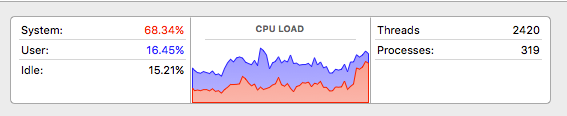
  • I love me some ‘CEPHtmlEngineHelper’

    Activity MonitorScreenSnapz001

     I don’t know why this just start happening but the Adobe related ‘CEPHtmlEngineHelper’ just started causing the old Mac fan and CPU usage to go crazy.

    Looks like it was resolved in private build by Adobe in February 2016.

    Guess I’ll update the CC 2015 apps and see what happens, eh?

    Update: It appears that the latest updates resolve the problems with ‘CEPHtmlEngineHelper’…

  • How to use Apple News

    Unknown

    I’ve been using Apple News quite a bit. I like it. I am, however, a power user of Feedly.  

    The Loop posted a link to an article about how to use Apple News. Nice article though the font face used on the site is a bit small for me. Thank goodness for ‘command-+’. 

    I thought that this was an interesting idea: 

    In fact I’m hoping that Apple bring News to the desktop in the next version of OS X.

    See the article here