
Installed a new garage door opener and wanted to be able to use Shortcuts triggered by Siri to open the one or both of the doors.
Found this link on Reddit and I found it very helpful.

'Heart of Gold’ put me in the middle of the road. Traveling there soon became a bore, so I headed for the ditch.” – Neil Young, comments written for the liner notes of his 1977 compilation, Decade.
Installed a new garage door opener and wanted to be able to use Shortcuts triggered by Siri to open the one or both of the doors.
Found this link on Reddit and I found it very helpful.
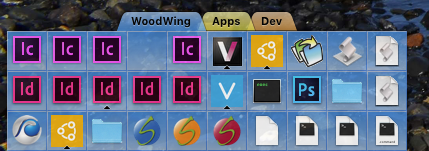
I got a new Mac laptop and headed over to the DragThing web site to buy a new copy. I discovered that it is EOL due to the 64-bit changeover that is impending on Mac OS.
I’ve been using DragThing as my launcher for a very long time. It’s been a fantastic application.
After 5 years (!?) I thought I would automate the backing up of my (very simple) web sites.
I’ve been using Interarchy for a very long time but I thought I would use Transmit to do this.
A few caveats to get started:
I’ve included the script below.
Once I got the script running the way I wanted it to I saved the script as an ‘Application’.
I then went over to Automator and created a “Calendar Alarm” item. I used the ‘Run Application’ event and selected my Script application. Hit save and Calendar will fire up and an event will be created. Note that event creation will trigger the script attached to it. Wish it didn’t do that but whatever. One other thing to mention is that the Calendar that is created is local to the machine where you used Automator to create the Calendar Alarm.
Set the schedule for the event and you are done. The next time the event date/time hits the Script application will fire and bam… your files will be backed up.
There are a lot of tweaks that the script could use that I will add as time goes on.
Also note that you need follow through on other steps to make sure that the data is good such as restoring the data, checking its ok, etc, etc.
Now… to back up those MySQL databases!
Here’s the script:
— Connect to FTP Server and sync remote directories to local directories
— 2010 Panic Inc.
— Mild modifications made by JAG, 2018
[sourcecode language=”plain”]
tell application "Transmit"
with timeout of (15 * 60) seconds
activate
tell application "Transmit"
— Prevent interactive alerts from popping up during script execution
set SuppressAppleScriptAlerts to true
— Set some variables to values to be used later in the script
set myFTPServer to item 1 of (favorites whose name is “NameOfYourFTPLocation")
set pathToMainBackupDirectory to "/Volumes/Drobo/Backups – Web Sites/"
set listOfSites to {“directory_1", “directory_2", “directory_3"}
— Start working with Transmit
— Loop through the list of sites, change the remote and local browser path and sync
— the remote site to the local site
repeat with a from 1 to length of listOfSites
set theCurrentSiteListItem to item a of listOfSites
tell current tab of (make new document at end)
— Connect to the FTP Server
connect to myFTPServer
— Change the path for the remote browser to correct path on the FTP server
change location of remote browser to path theCurrentSiteListItem
— Chagne the path for the local browser to location of the backup
change location of local browser to path "/Volumes/Drobo/Backups – Web Sites/" & theCurrentSiteListItem as string
— Tell Transmit 5 to sychronize the remote location to the local location
synchronize remote browser to local browser
— Close the remote browser window
close remote browser
end tell
end repeat
set SuppressAppleScriptAlerts to false
end tell
end timeout
end tell
[/sourcecode]